2022年2月13日星期日

VXDIAG Ford IDS V124 Cannot Do 2020 Ford Explorer


VXDIAG Ford IDS V124 Cannot Do 2020 Ford Explorer

Problem:
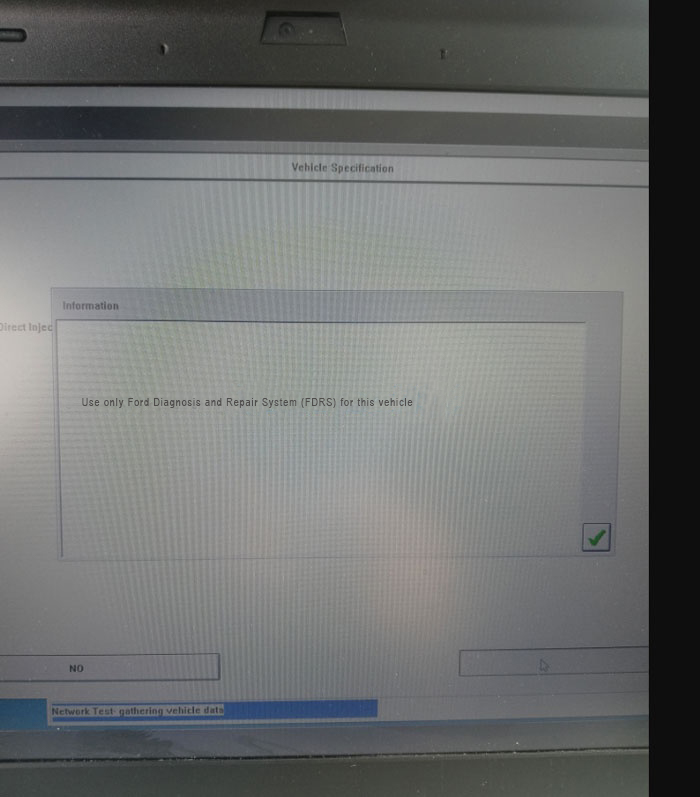
My vxdiag vcx nano Ford IDS V124 failed to communicate with a 2020 Ford Explorer. It says ‘use only Ford Diagnosis and Repair System (FDRS) for this vehicle.’  Any idea how to make it work?

VXDIAG-Ford-IDS-V124-Cannot-Do-2020-Ford-Explorer

Solution:
As the IDS says, you have to use FDRS on this vehicle.

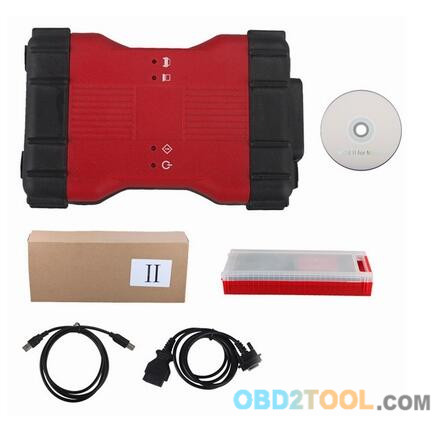
Ford Diagnostic & Repair System (FDRS) – The next generation factory Ford Motor Company vehicle diagnostic Software designed for use with VCM II, VCMM and J2534 compatible Vehicle Communications Interfaces (VCI). FDRS provides complete dealership level vehicle diagnostic coverage for some 2018 and forward vehicles. FDRS provides superior capabilities, is more user-friendly and provides more diagnostic tools than IDS. The cloud-based system ensures the technician is provided the latest software every time FDRS logs into the Ford network.

Ford vehicles by model year supported on FDRS
*   Bronco 2021
*   Bronco Sport 2021
*   EcoSport 2018-2021
*   Edge 2021
*   Escape 2020-2021
*   Expedition 2018-2021
*   Explorer 2020-2021
*   F-150 2021
*   Mustang 2021
*   Mustang Mach-E 2021
*   Ranger 2019-2021
*   SuperDuty 2020-2021
*   Transit 2020-2021
*   Transit Connect 2019-2021

Lincoln vehicles by model year supported on FDRS
*   Aviator 2020-2021
*   Corsair 2020-2021
*   Nautilus 2021
*   Navigator 2018-2021

VXDIAG VCX NANO Ford J1534 has been tested working without problem with FDRS.

2022年2月6日星期日

HOW TO RESET Ford Bronco Oil Service Maintenance Light


HOW-TO-RESET-Ford-Bronco-Oil-Service-Maintenance-Light-1

Ford Bronco Oil Reset Quick and simple instructions for resetting the Oil service maintenance reminder indicator light on a Ford Bronco from the model years 2020-2021-2022.

4 Easy Steps to Reset

Step 1 Switch the ignition on. Do not start the engine.

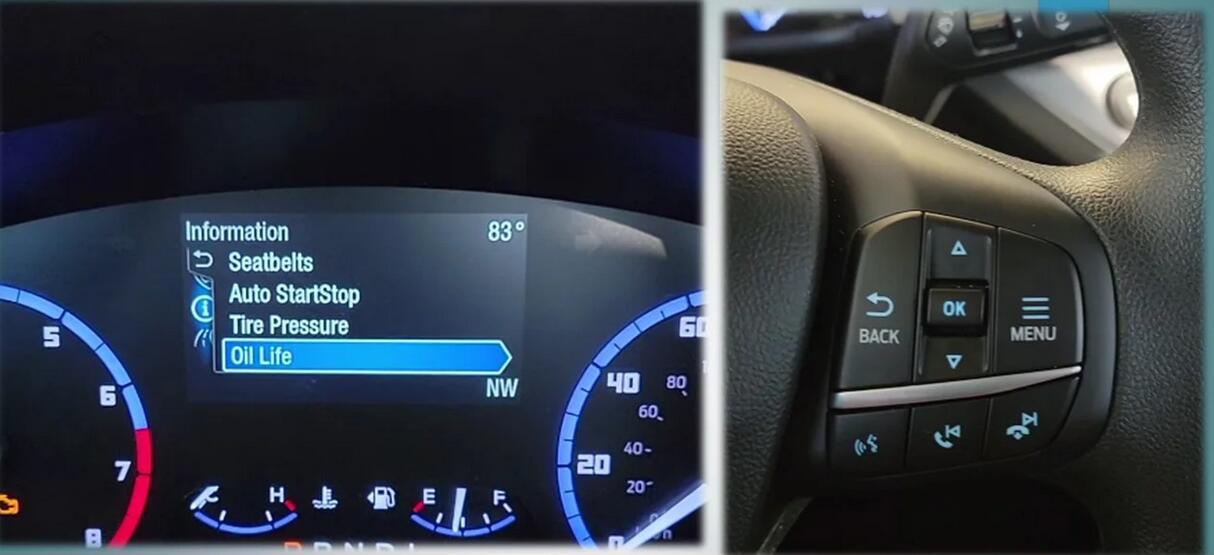
Step 2 Using the driver information button on the steering wheel. Press the MENU button then Scroll down to Oil Life then press the OK button.
HOW-TO-RESET-Ford-Bronco-Oil-Service-Maintenance-Light-1

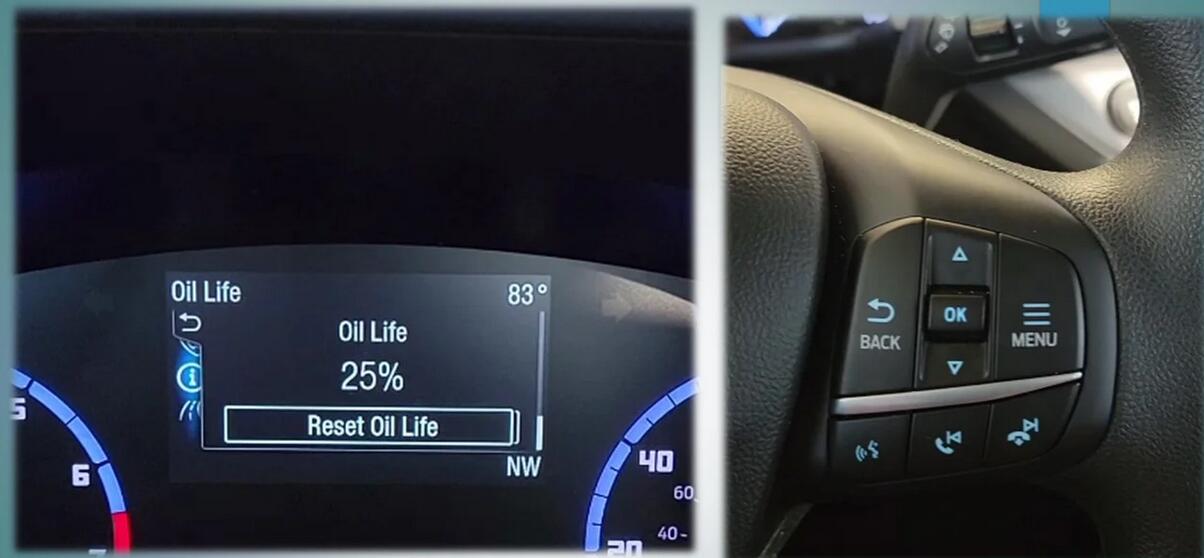
Step 3 While the Oil Life is Displayed, Press and hold the Ok Button.

HOW-TO-RESET-Ford-Bronco-Oil-Service-Maintenance-Light-2

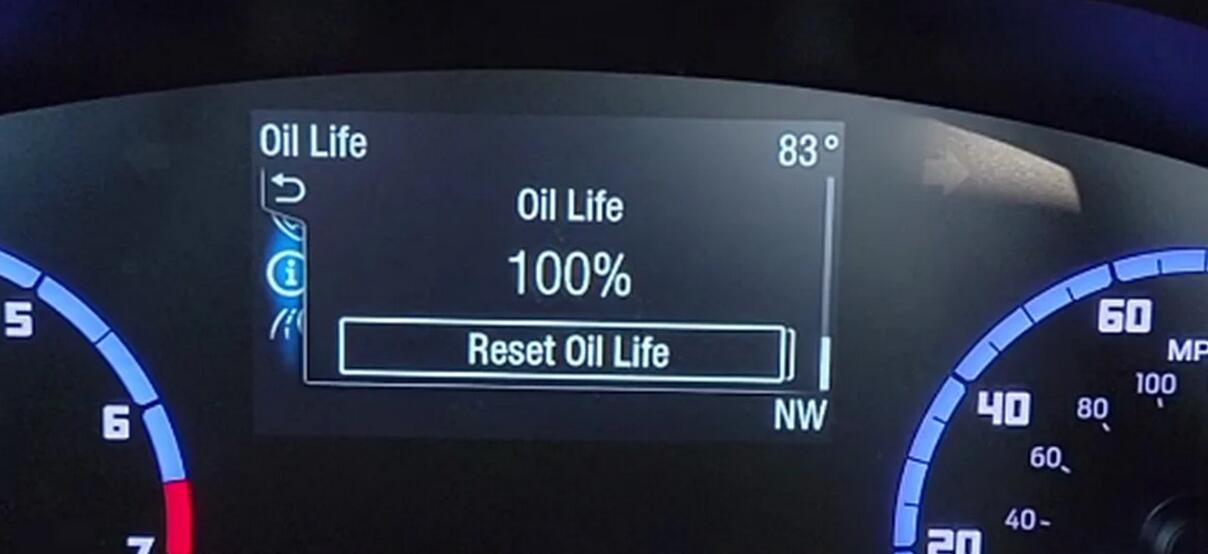
Step 4  While Pressing and hold the OK button, the Oil life will reset to 100%.

HOW-TO-RESET-Ford-Bronco-Oil-Service-Maintenance-Light-3

Turn off the ignition, then start the engine to verify that the service life has been reset.

Quick info About Ford Bronco

The Ford Bronco was originally developed as an off-road vehicle in the 1960s. Ford discontinued the Bronco after the 1996 model year. The nameplate has been used on other Ford SUVs, namely the 1984–1990 Bronco II compact SUV and the 2021 Bronco Sport compact crossover. The Ford Bronco was introduced in 1987 as a short-wheelbase version of the eighth-generation Ford F-150. The Bronco returned its 4.9L inline-6, 5.0L V8, and 5.8L H.O.

V8 engines from the previous generations. The Bronco was unveiled on July 13, 2020. The car has a 2.3-liter turbocharged EcoBoost inline-four that makes 300 hp and 325 lb-ft (441 N⋅ft) of torque. Custom interior appointments include a walnut steering wheel and front bucket seats with russet suede bolsters.

If you want to know more about ford, please click Ford trouble Repair.

2022年1月5日星期三

How to Install Software for Ford and Mazda

Firstly please prepare two laptops, one for software for Ford, the other is for Mazda. This is the instruction for the tool Ford

How-to-Install-Software-for-Ford-and-Mazda-1

Here are the installation steps for Ford.
1. Install Ford IDS-124
2. Wait for the installation of Ford IDS – 124, and restart the computer
3. Install the Ford original VCI software_ 1.0.0.10.exe
4. Install VCI manager (Ford) 20.11.24 and Ford IDS driver
5. Wait for the VCI manager and Ford IDS driver installation to complete
6. Connect device and install IDS patch
7. Use IDSpatch to open IDs and start diagnosis.

Here are the installation steps for Mazda.
1. Install Mazda IDS-124
2. Wait for the installation of Mazda IDS – 124, and restart the computer
3. Install VCI manager (Mazda) 20.11.24 and Mazda IDS driver
4. Wait for the VCI manager and Ford IDS driver installation to complete
5. Connect device and install IDS patch
6. Use IDSpatch to open IDs and start diagnosis.

Mazda IDS V124
Ford_Mazda IDS Patch (No need VMware)

Ford IDS V124 Installation package:

https://mega.nz/folder/6dwzgaJR#XW2q1xPdbgKV4XtZQqkB0w

MZD IDS V124 Installation package:

https://mega.nz/folder/iQp1UACZ#d4ey2cWHmaEMf9n2dTcTAQ

Ford and Mzd patch:

https://mega.nz/folder/OV4RRC6B#seCWP6UCzOPWEDYlQxZ1iQ

2021年10月27日星期三

Ford VCM 2 FAQ


What is the difference between VCM2 and VCM3?
The VCM3 in fact does all 1996 up ford/lincoln/mercury just like the VCM 2 its fully backward compatible, but it is slightly faster with most cars, which is nice, eliminating diagnostic time, and has a built in capacitor for power storage for use when vehicle ignition is turned off and back on but module needs to still …

How to Update Ford VCM 2 Diagnostic Tool Firmware?
1. Please press your device power button.
2. Long-press the power button, connect to VCM2 device power supply, wait for all 4 indicators turn on, then release the button.
3. Run the IDS software, system will prompt to update firmware.

What is the difference between IDS and FJDS?
IDS is a flexible diagnostic tool that utilizes standard computing platforms to work with Ford’s VCM, VCM II, VCMM and VMM devices. FJDS is a flexible diagnostic tool that utilizes standard computing platforms to work with Ford’s VCM II or J2534 compatible devices.

How do I update my Ford IDS software?
Your computer must be network activated and have an Internet connection to receive automatic notification of updates. To activate: System Utilities->Network Options ->Activate Page 4 Page 4 4. Select “Software Update” and click the blue tick. A software update popup will be displayed.

What can Ford IDS do?
Ford Integrated Diagnostic System (IDS): The IDS application will perform the identical functions of the WDS and allows dealership technicians to diagnose and service Ford, Lincoln, Mercury vehicles. IDS is enhanced WDS software that was modified to run on a standard laptop platform, and utilizes the VCM and VMM.

Is Ford id software Free?
If you wanna get the latest ford ids software v112, you can get it here now, obd2tool.com team will share it with you free.

Ford_IDS V121 Installation package:
https://mega.nz/folder/ZIdlnALA#3JGZEjJItP5by2VwvxFaZA

Mzd_IDS V121 Installation package:
https://mega.nz/folder/8BsVACIQ#8Xn-1juY-WOUrxArMglANg

Ford_Mzd V121 patch:
https://mega.nz/folder/OV4RRC6B#seCWP6UCzOPWEDYlQxZ1iQ

What is the full form of IDS software?
An intrusion detection system (IDS) is a device or software application that monitors a network or systems for malicious activity or policy violations.

What is Vxdiag?
VXDIAG VCX Nano GDS2 and Tech2Win Diagnostic Programming System for GM/Opel. Despite the advanced functionality, this VXDIAG VCX Nano is actually very simple to use. It is designed for the ordinary car owner. With it, you can diagnose various onboard systems and do relearn as well as advanced reset.

What software does Ford use?
Ford uses Sigmund with SolidWorks® 3D CAD software to ensure superior quality. Glenn Reed, a Ford mechanical technical expert based in Dearborn, Michigan is a power user.
What is Ford Fdrs software?

Ford Diagnostic & Repair System (FDRS) – The next generation dealer diagnostic software. The factory Ford Motor Company vehicle diagnostic Software designed for use with Ford VCM II, VCMM and J2534 compatible Interfaces. FDRS provides complete dealership level vehicle diagnostic coverage for 2018 and forward vehicles.

What is GM MDI?
The GM MDI 2 is the Global Diagnostic Interface tool for both current and future GM vehicles. It replaces the MDI introduced in 2007 and offers a compact communication module with increased processing power and security to offer faster transfer of data between a vehicle’s onboard ECU network with an auxiliary CAN bus.

How do I get Ford as built data?
You generally will find the As Built data by finding the “Service Publications” tab. Enter the VIN in the dialogue box there. Then click on the “Oasis” tab then hit the “As Built” button.

What is Ford as built?
The Ford As-built data is a list of code parameters that represent the specific functions of your Ford vehicle. The Ford As-built data can be accessed using software like FORScan. With FORScan, you can configure and program the values of the As-built data to apply changes to the functionalities of your vehicle.

What is as built data?
According to Business Dictionary, as-builts are a “revised set of drawings submitted by a contractor upon completion of a project or a particular job. The final as-built drawings include any and all of the following, as well as every other change made during the construction phase of a project: Modifications.

2021年9月30日星期四

(Solved) VCM2 firmware is newer than IDS software


Recently,Obd2tool has received some question about Ford VCM2 firmware downgrade,and obdexpress found the same problem in the mhhauto OBDII scan forum.

ford-vcm2

Here you are:

I just get VCM2 and instaled IDS v86 and when I start sw error I get that VCM firmware is newer then IDS sw.
How to do?
Customer solutions from the MH forum:

Press and hold reset button after that insert usb to pc still hold reset button when you will hear beep after that release reset button.

If it does not works….

Try to use this Ford VCM II Software setup v2.1.119.3. I have Chinese clone Ford VCM II and working with Ford IDS v86, Mazda IDS v91 and with JLR SDD v138 with this software setup too. My VCM have no problem with update downgrade I had installed Ford IDS v95 after that v86 and no problem update downgrade. When I installed JLR SDD v138 I had to update VCM to this version and after that was not functional with Ford IDS v86 after installing this setup was all functional.

Ford VCM II v2.1.119.3:
https://mega.co.nz/#!LhNUDDzS!lqgQfn7AwXM_E-BxBj2mToJNd52w6HElT_l3mpBAUcU
(RUN v2.1.119.3 on a computer without any IDS or SDD
Start VCI Manager and press update /start
you can do this without press the button on vcmii)

When I want update or downgrade VCM I have to only connect VCM with PC not need connect VCM to OBD. I have installed this softwares on VMware each separately. Each with new clean windows xp. I have not installed newest Ford IDS v95 for example because I don`t know how to freeze system still after 5 days license k.o.  But I had installed this new version Ford v95 and worked this new software update without problem. I install V94 and after that IDS said me is new version v95 I downloaded it and it worked.

I am using V94, and I was told I need OSCH VCI MAMAGER2.1.119.3, NOT 2.1.19.19

TizWazsaid, “IF YOU ARE USING VERSION 94, YOU WILL HAVE WRONG VERSION BOSCH VCI MAMAGER , IT WILL BE 2.1.19.19
YOU NEED 2.1.119.3
you need to press the reset button on the vcmII WHILE CONNECTED TO 12V, then when you see all lights flash at once on the vcmii, you put to usb , wait for beep release reset button on VCMII and start VCI MANAGER.
BUTTONS IN VCI MAAGER SHOULD COME ALIVE BUT YOU NEED TO DO IT WITH VERSION 2.1.119.3
SO IN ids 94, you can go to program and features and uninstall version 2.1.119.19 , reboot and install 2.1.119.3
to install MAZDA IDS With ford VCMII”

I downgrade my vcm2 firmware to work with Ford IDS v86, and now ford is ok for me.
I followed a youtube video and I installed (on free IDS PC) Mazda IDS v88 (because I readed that v88 will work with same firmware as ford v86) . Changed Bosch VCI manager files from ford into mazda and now when start vcm manager ask me to update to newer version , but I not wanna update and skip that.
When start Mazda IDS also told me that must update, so which version of mazda will work with same ford v86 fw? Must I search for Mazda v86??

Note: the version software is unimportant , its the ETAS version that matters .
2.1.119.3
you use the SAME one across all JLR, MAZDA, FORD.
IF ORIGINAL VCMII YOU CAN USE 2.1.119.19

If clone Ford VCMII, USEthat etas version for your FORD, MAZDA, and JLR

Enjoy and good luck!

2021年9月28日星期二

How to activate Ford VCM2 IDS Special Function


Ford VCM2 IDS Special Function

With Ford VCM 2 clone with IDS, how to enable or activate Special Function in the menu Module Programming/Programmable Parameters/Car Configuration Parameter(s)? Here is the how-to guide from a CT member. It’s a customer experience; try at your own risk.

Ok just had a play and i managed to get to enter the code (here: 60274)

I found where IDS stores these codes:
C:\Program Files\Ford Motor Company\IDS\Runtime\Registry.xml
Under <key name=”UPDATEFUNCTIONS”>
Going to try them out.
Enter the code
00008 – IDENT_APPLY_PATCHES_VIA_FLOPPY
00009 – IDENT_UPDATE_PTU_FROM_FLOPPY
32287 – IDENT_LAUNCH_APP_MCP_REST
60503 – IDENT_LAUNCH_REGRESSION_RECORDER
27001 – IDENT_LAUNCH_FT_EOL_CP_MZ_01
32247 – IDENT_LAUNCH_SERVICE_ROUT
24040 – IDENT_ENABLE_VALIDATION_MODE
24041 – IDENT_DISABLE_VALIDATION_MODE
23761 – IDENT_LAUNCH_APP_FT_DATA_REC
81105 – IDENT_LAUNCH_APP_TSBSSMLIST
53061 – IDENT_IGNORE_MCP_INHALE
26503 – IDENT_LAUNCH_APP_VVAG
81104 – IDENT_LAUNCH_APP_FTW_SHIP_MODE_01
29124 – IDENT_TOGGLE_FORD_EXTRANET_INTRANET_URLS
60274 – IDENT_LAUNCH_CCC_ENGINEERING_APP
32227 – IDENT_LAUNCH_PROPSHAFT_BAL_APP
48712 – IDENT_LAUNCH_GENERIC_RCM_CONFIG_APP
28487 – IDENT_LAUNCH_FT_ICCMSP_MZ_01_APP
28097 – IDENT_TOGGLE_BATTERY_MONITORING
70263 – IDENT_LAUNCH_GENERIC_DIAG
71863 – IDENT_MCP1
63296 – IDENT_LAUNCH_FTW_RKE_MODE_01_APP
08080 – IDENT_LAUNCH_DETAILED_NETWORK_DIAG
32267 – IDENT_LAUNCH_APP_ENG_SUPPORT_TOOL

2-1 2-2
Enter the code 60274
It changes the ccc option in module programming to a different list with more options and also appeared to give me icons to read and write dumps,
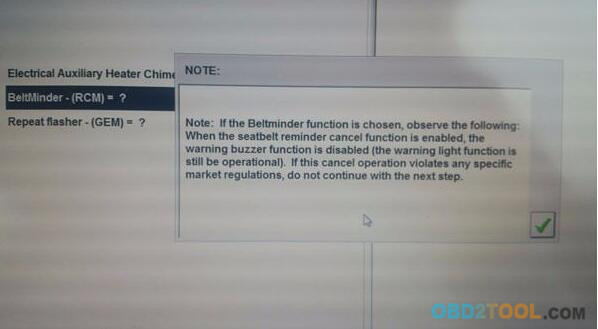
But I ran out of time to play more and see what options did, I did try to disable my seat belt off warning buzzer but it failed to work, Other peoples input would be nice once you test it…
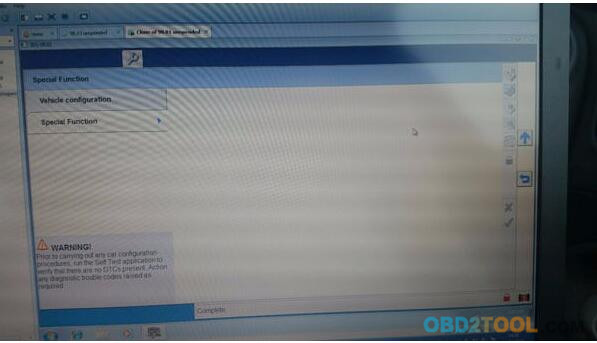
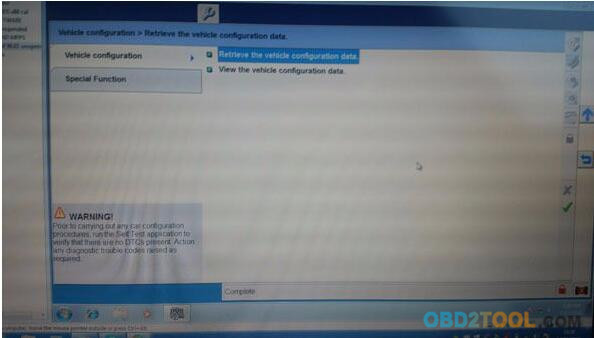
See my photos, get the first page up as shown then click update/ special functions on your right hand side
As for getting nothing to appear in special function through VCM2 IDS, i had two option in there, read config file and modify, Also for me the tool box module programming, 3rd option down had changed to allow what i would normally alter within ccc as well as a as built option which i do not normally see on this year of car, It had speed items for one listed, were as this is found on later fords than mine in the pcm on first page.

2-4
2-5

2021年9月22日星期三

How to use Ford VCM2 clone program Ford module


Ford module programming with Ford VCM 2 clone
VCM2 manual: NEW module programming using Ford IDS software

You need Ford IDS software, original or crack

(VCM2 genuine definitely is the best solution, but a high-quality one should work great, not  cheap crappy tools)

3-1

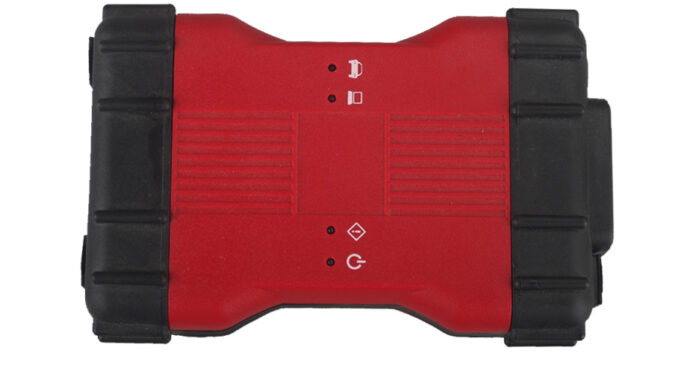
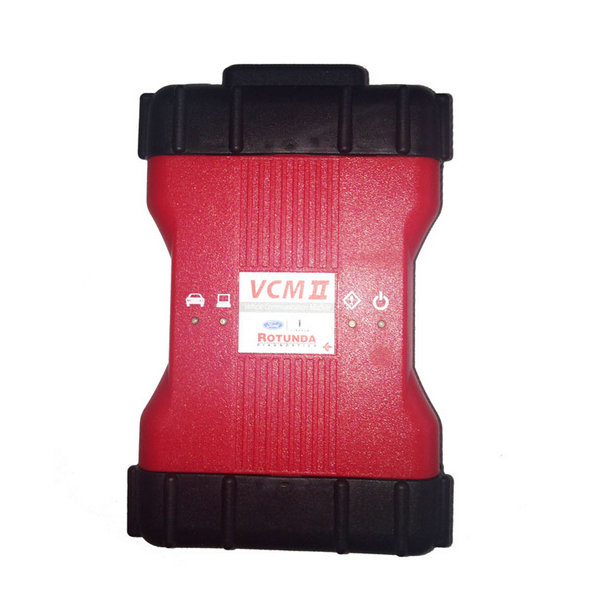
VCM 2 is the new Ford OEM diagnostic tool

When installing a new module, the configuration data must be transferred from the old module beforeit is removed. The new module of Ford IDS Software will then be programmed using this information. Use the followingsteps to download the data from the existing module and program the new module:

Step 1: Select the toolbox tab at the top of the screen

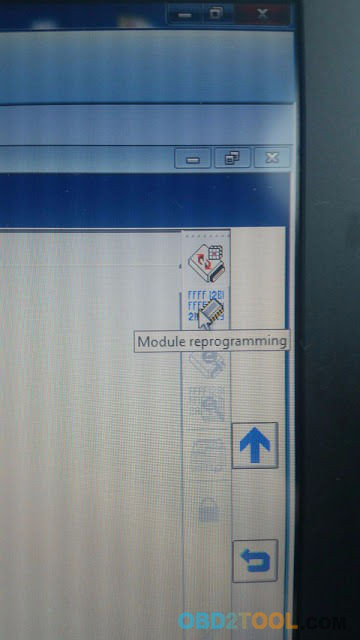
Step 2: Select “Module Programming”

Step 3: Select the tick mark or the Enter key

Step 4: Select “Programmable Module Installation”

Step 5: From the fly out menu, select the type of module to be installed

Step 6: Select the tick mark or the Enter key

Step 7: Make sure that an Internet connection has been established and then select “Confirm”

Step 8: Follow the instructions on the screen. These instructions vary depending on the type ofmodule being installed.

NOTE: Be sure to follow these instructions in the exact order that they are given. Do not remove or install any modules until instructed to do so. Failure to follow the instructions correctly may result in the configuration data received during vehicle identification to program incorrectly or not at all.

Step 8A: If Ford Module Programming was unable to retrieve the configuration data due to either

a non-functioning module or a module which was removed before the data was retrieved, the

application will request that the user obtain information from the Module Build Data (As Built)

database. Access to this database is included in the Ford Module Programming subscription. The

data can be obtained by doing the following:

● Go to the Motorcraft website (www.motorcraft.com)
● Go to the Technical Resources area
● Log in using the User ID and password set up when the subscription to Ford Module

Programming was purchased

● Select “My Subscriptions”
● Select “Ford Module Programming”
● Select “Module Build Data (as Built)”
● Enter the Vehicle Identification Number (VIN) and select “Submit”
● Write down the information that was requested by the Ford Module Programming

application

● Return to the Ford Module Programming application and enter the requested information

Step 9: If necessary, apply the reprogramming label to the PCM
If an emissions recall has been performed or a required emissions-related TSB has been completed,an Authorized Modification label must be placed on the PCM. These labels can be purchased at the parts counter of a Ford or Lincoln/Mercury dealership.

NOTE: It is the responsibility of the technician to inform the customer that Ford Motor Company will not reimburse the vehicle owner for field service actions that are not completed at a Ford or Lincoln/Mercury dealership.

Step 10: When the “Programming complete” screen appears, select the tick mark or the Enterkey. If PATS initialization is required, Ford Module Programming may automatically link to the PATSparameter reset and/or key relearn procedures. Two ignition keys may be required to complete the

PATS initialization procedure.

Step 10A: If PATS initialization is required and Ford Module Programming did not link to thatfunctionality automatically, go to the Toolbox tab and select “PATS”. Detailed instructionsare provided in Section 6.